

Tower Rush Demo
Pros
- Official Galaxsys access without an operator account or deposit
- Build, Cashout and the three bonus-floor features available in FUN
- Desktop and mobile browser routes for the same original game
- A visible balance and round history for checking what a completed tower returned
Cons
- FUN has no monetary withdrawal or transfer into a real-money wallet
- Successful floors can reduce the available payout when their multiplier is below one
- The 10,000 FUN cap limits the payout even if building continues
- Starting a new independent session can reset the FUN balance. Any reset adjustment is separate from game payouts
Open the Tower Rush demo on your device
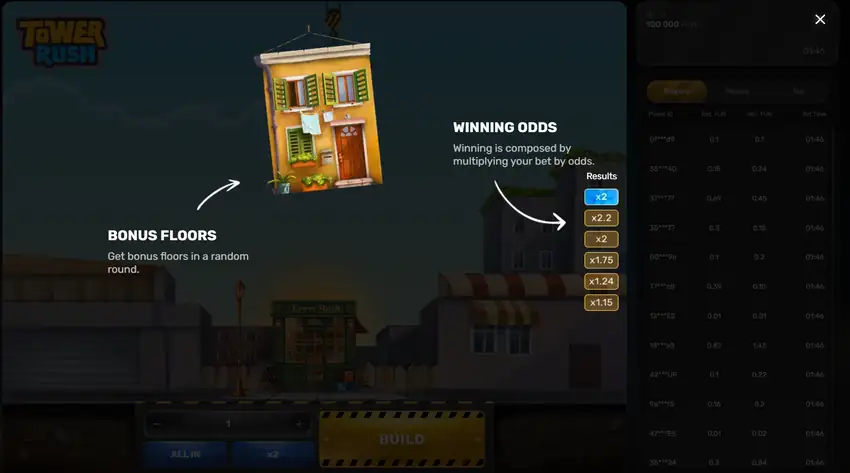
Choose the desktop version when using a computer and the mobile version when using your phone. Both official routes concern the original game. Tower Rush 2 and Tower Rush Branded are separate products, so their names should not be treated as interchangeable options for the same session.
Tower Rush is Galaxsys's individual tower-building game: you choose a stake, build floors and decide whether to collect an available payout or continue. The official Tower Rush demo provides those decisions in virtual units. For readers in Bangladesh, the important distinction is the FUN label: it does not represent taka, a deposit or money waiting to be withdrawn.
A Tower Rush game demo without an operator account
You do not need a casino account to use the official provider demo. In my mobile test on a Xiaomi 15 Ultra in Bangladesh, I opened the game without registering with an operator or making a deposit. The session began with 100,000 FUN, which supplied the virtual balance for the towers described below.
A Tower Rush demo account is therefore not a prerequisite for this provider route. An operator's login screen belongs to that operator's access process. It does not establish that the official Galaxsys demo requires the same registration, identity checks or funded wallet.
To begin:
- Select the desktop or mobile demo for your device.
- Check that the game identifies Tower Rush and Galaxsys, then locate the FUN balance.
- Open Rules before your first tower and check the stake limits.
- Enter a stake within the 1–100 FUN range and select Build.
- After a successful floor, read the amount available through Cashout before deciding whether to continue.
These checks give you a clear starting state. A balance of 100,000 FUN is ample for learning the display, but it is still a demonstration balance. Treat the practice session as a way to understand the product, rather than as evidence that a similarly sized cash balance would be available elsewhere.
Desktop and mobile controls
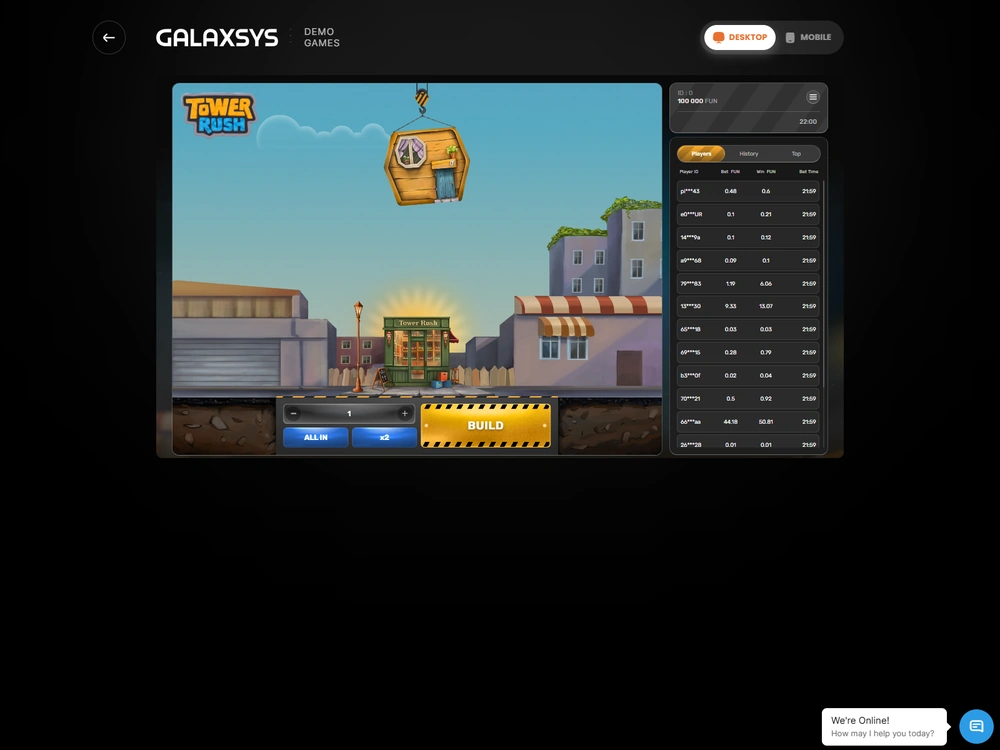
The Tower Rush game demo uses the same core Build and Cashout decisions across the official desktop and mobile routes. The desktop interface includes Home, Settings, Sound and Rules, with an option to export the rules as a PDF. Players, History and Top panels also appear in the demo interface.
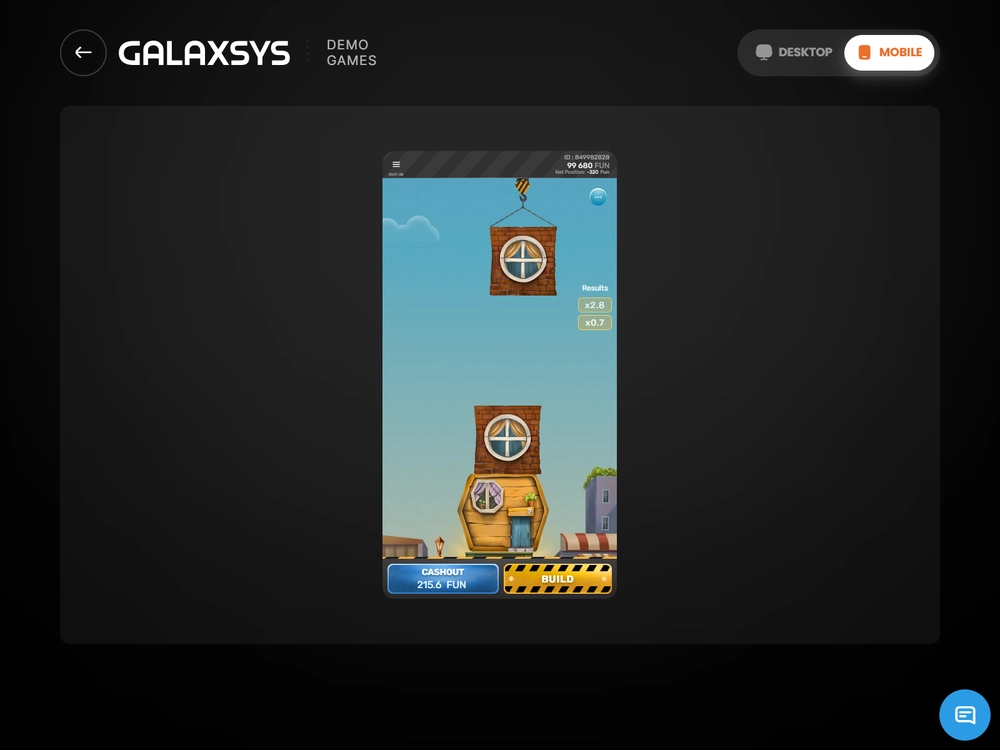
The mobile route places the game in a browser environment. My Android environment was Xiaomi 15 Ultra with Android 15, HyperOS 2 and Chrome; the iPhone environment was iPhone 15 Pro with iOS 18.6.3 and Safari. The four completed towers in this article belong specifically to the Android session, not to a combined result across devices.
For the broader distinction between a browser game, a home-screen shortcut and an operator's application, see mobile and browser access. You do not need to turn this practice exercise into an app-installation task to understand the FUN controls.
Read the balance before pressing Build again
The balance, available Cashout amount and completed payout describe different stages of a tower. Reading them separately is the most useful habit to develop in Tower Rush demo play. A number shown on the Cashout button is an available result during the active round; it is not automatically a completed credit to the balance.
| Setting | Value or control | What it means for you |
|---|---|---|
| Starting balance in my session | 100,000 FUN | Virtual funds for the demonstration |
| Stake range | 1–100 FUN | The accepted amount for one paid tower |
| Payout cap | 10,000 FUN per tower | An absolute payout ceiling, not a universal multiplier |
| Build | Start or continue the tower | The initial accepted stake starts one paid cycle |
| Cashout | Collect the available amount | The confirmed result ends that tower and credits its payout |
| x2 and ALL IN | Stake controls | They are not an automatic series of rounds |
| New independent session | Can reset the FUN balance | A reset is separate from payouts earned in completed towers |
What Build accepts and what it continues
Build starts a paid tower when the game is ready and the selected stake is valid. After an accepted start, another Build continues that tower by dropping a further floor. Counting every button press as a new wager would therefore give you the wrong turnover and the wrong number of paid rounds.
A successful ordinary floor multiplies the accumulated payout by its own factor. The multiplier can be below one, so a successful placement does not necessarily increase the amount you could collect. At ×0.45, the preceding amount falls to 45% of its value. The tower gains height while its available payout falls.
The initial stake remains the useful reference point for judging profit or loss. If you stake 100 FUN and eventually collect 45 FUN, the completed payout is positive, but the net result is a loss of 55 FUN. Describing that round simply as a win would hide the difference between receiving something and finishing ahead.
Build also needs an appropriate game state. An invalid stake is not an accepted wager, while an accepted stake followed by a delayed screen response is already part of a live round. Avoid treating the absence of an immediate animation as proof that nothing happened.
Cashout and a completed balance credit
Cashout fixes the available payout when the server accepts the action. After a completed tower, compare the amount credited with the stake already deducted. The balance calculation is opening balance minus accepted stake plus completed gross payout; the payout should enter that calculation once.
For example, my first tower used 100 FUN and returned 232 FUN. The balance moved from 100,000 to 99,900 after the stake and then to 100,132 after the payout. The 232 FUN was the full amount returned, including the effect of the original stake; the profit was 132 FUN.
A separate mobile interface state showed a balance of 99,680 FUN, Net Position of −320 FUN and 215.6 FUN on Cashout. Those values described an active tower. Adding the button amount to a completed-results total before settlement would confuse an available action with a finished payout.
Keep that distinction when looking at History. A settled record is useful for reconciling the tower you completed. A live animation, a changing result label or another entry in Players serves a different purpose and should not replace your own accepted stake and final balance movement.
The cap is 10,000 FUN, not always 100 times your stake
The demo's ceiling is an absolute 10,000 FUN per tower. Its ratio to your stake changes: the same ceiling is 10,000 times a 1 FUN stake, 500 times a 20 FUN stake and 100 times a 100 FUN stake. Calling the whole configuration “maximum ×100” would obscure that distinction.
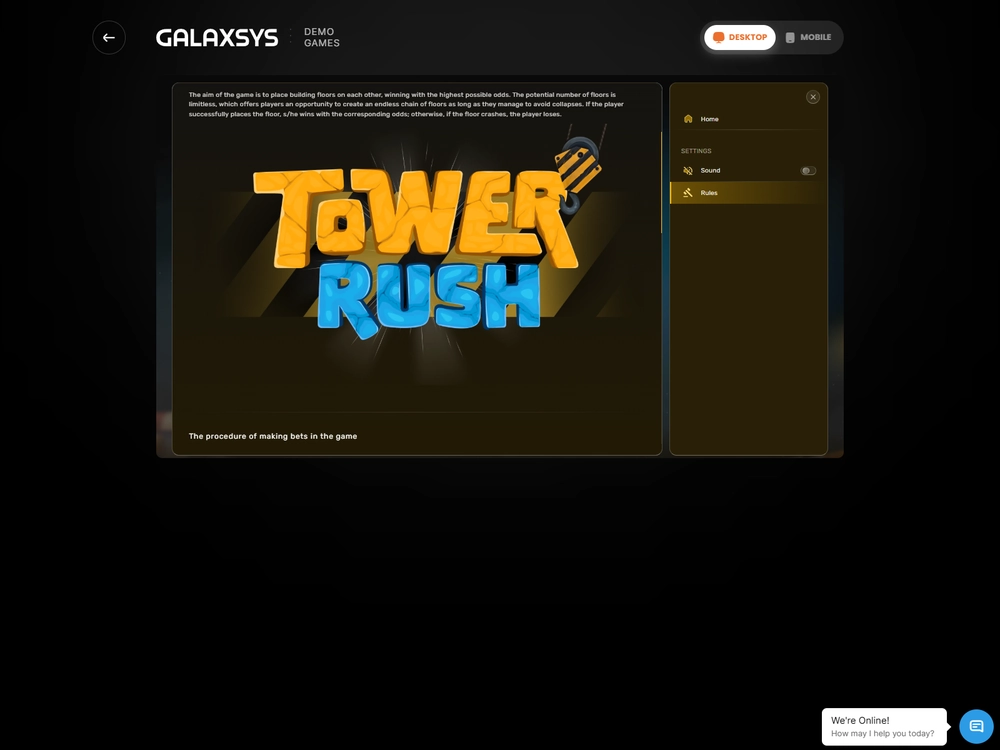
The cap also changes the meaning of continuing. Once the ceiling has been reached, additional building cannot raise the payout beyond it. The rules allow construction to continue, but an unprotected accumulated result can still be lost if the tower collapses. More floors do not remove that exposure.
A concrete cap example starts with a 100 FUN stake and an uncapped result of 12,600 FUN. Applying the ceiling leaves 10,000 FUN available for settlement. That is a capped gross payout, not 12,600 FUN plus another cap payment, and not a reason to regard further Build actions as risk-free.
Three bonus floors within the same tower
Frozen Floor, Temple Floor and Triple Build are features inside a tower, rather than three separate cash balances. They appear randomly, and a bonus floor's identity is revealed after successful placement. Their presence does not turn a FUN session into an operator promotion or a withdrawable bonus offer.
- Frozen Floor protects the amount accumulated when it activates. A later collapse preserves that protected amount; a higher confirmed Cashout pays the higher amount, without adding the frozen sum a second time.
- Temple Floor triggers an automatic wheel spin. Its ten sections include nine numerical multipliers and one Frozen Floor result. A numerical outcome multiplies the current payout within the existing tower.
- Triple Build adds three further floors after its successful activation. Those floors belong to the same paid cycle, and their multipliers are at least ×1.
Frozen can activate once in a tower, after which no further bonus floors are awarded and subsequent successful ordinary floors have multipliers of at least ×1.5. Protection and ordinary continued building are different states, so check which applies before interpreting the result.
Tower Rush operator reviews
Six completed Bangladesh BDT tests. Scores and payment results reflect the tested accounts.
-

BDT access score7.15/10
- 96.55% configured RTP.
- 891 BDT received via bKash after a 9 BDT deduction.
-

BDT access score7.40/10
- 96.69% configured RTP.
- 1,900 BDT received via Nagad with no deduction after identity and address checks.
-

BDT access score7.15/10
- 96.19% configured RTP.
- 2,084.25 BDT received via Nagad after a 15.75 BDT withdrawal fee.
-

BDT access score7.15/10
- 97.00% configured RTP.
- 1,200 BDT received via bKash in 6 min 27 sec. The deposit had a 30.36 BDT external charge.
-

BDT access score7.40/10
- 96.65% configured RTP.
- 1,500 BDT received via bKash in full. The deposit had no external charge.
-

BDT access score7.40/10
- 96.33% configured RTP.
- 500 BDT received via bKash in full after identity and address checks.
The demo is useful for recognising those states before attempting to interpret a history entry. For a complete explanation of the round sequence, including collapse and protected payouts, continue to the rules and how to play.
My four-tower practice session
My Tower Rush demo run consisted of four paid towers at 100 FUN each, starting from 100,000 FUN on the Xiaomi 15 Ultra. I separated the amount displayed during construction from the payout credited after each tower ended. The result was 315 FUN returned from 400 FUN staked, leaving a net loss of 85 FUN.
| Tower | Stake FUN | Gross payout FUN | Net result FUN | Closing balance FUN |
|---|---|---|---|---|
| 1 | 100 | 232 | +132 | 100,132 |
| 2 | 100 | 0 | −100 | 100,032 |
| 3 | 100 | 45 | −55 | 99,977 |
| 4 | 100 | 38 | −62 | 99,915 |
| Total | 400 | 315 | −85 | 99,915 |
The first tower combined ×1.6 and ×1.45, producing 100 × 1.6 × 1.45 = 232 FUN when I collected. The second collapsed without Frozen protection and returned zero. The third finished at ×0.45 for 45 FUN, and the fourth combined ×0.4 and ×0.95 for 38 FUN.
Three towers returned a payout, but only one returned more than its stake.
That is why “three payouts from four towers” and “one profitable tower from four” describe different things. The session's observed return was 78.75%, calculated as 315 divided by 400; it is not an estimate of the game's long-run RTP.
What the reset added
A new independent demo session restored the balance to 100,000 FUN. Relative to the previous closing balance of 99,915 FUN, that was an adjustment of 85 FUN. It did not change the previous session's 315 FUN gross payout or erase its −85 FUN playing result.
Keep a short record if you want to compare your own practice sessions: starting balance, total accepted stakes, completed payouts and closing balance before any reset. Record a fresh-session balance separately. Otherwise, you could mistake the provider restoring virtual funds for a successful tower.
The Tower Rush free demo makes that distinction easy to examine without funding an operator wallet. Its value is the visible relationship between a decision, a settled result and the balance. Four rounds can demonstrate that relationship; they cannot tell you what a later money session will return.
What carries over to a money session
The controls provide familiarity, but FUN does not become BDT. In Bangladesh, check the currency of any separate operator wallet rather than reading the demo balance as taka. My transition to an operator's real-money mode involved selecting its money wallet and checking the currency; the 100,000 FUN did not transfer as a deposit.
| Question | Official FUN demo | Real-money context |
|---|---|---|
| What does the balance contain? | Virtual FUN units | The currency of the selected operator wallet |
| Is an operator account needed? | No | Access belongs to the operator's account process |
| Does the starting balance represent a deposit? | No | Deposits are separate cashier transactions |
| Can the demo balance be withdrawn? | No | Money withdrawals follow the operator's own conditions |
| Are limits automatically identical? | Demo stake range and cap apply | The relevant money configuration has its own limits |
| What does a demo reset transfer? | No money | No FUN is transferred into the money wallet |
The official demo rules give an RTP range of 96.17–97%. That range belongs to the demo's stated rules, while money configurations have their own parameters. Neither the small test result above nor a favourable practice streak establishes that another configuration has the same expected return.
If you arrived through a search for “Tower Rush play online”, the provider's FUN mode is the practice route described here. Searches such as “rush tower game demo” can also refer to this title; check the original name Tower Rush and developer Galaxsys before treating a result as the same product.
For the differences between stakes, operator balances and external payments, see the real-money mode explanation. The purpose of the demo is to make those distinctions clearer, not to demonstrate an income method or promise that virtual outcomes will repeat with cash.
When the screen stops responding
A delayed screen does not by itself establish that a wager failed or that a Cashout succeeded. The server determines the accepted state and outcome. A slow connection or device can delay the animation, result display or balance update, so repeated clicks are a poor substitute for checking the existing round.
If the connection drops after a stake is accepted, restore the session and check the same round's status before starting another tower. The rules provide for completion after one hour of inactivity when the connection is not restored, with the registered payout credited to the balance. Cashout remains a separate action.
A software or game-equipment failure has a different accounting treatment: the affected stakes and payouts are voided and the stake is returned. A refund restores a debit; it is not a profitable game result. For specific loading and session problems, use the troubleshooting guide.
Use the demo to understand each decision
The official provider demo is a practical way to learn Build, Cashout and the bonus-floor states without an operator account or deposit. Its 1–100 FUN stake range and 10,000 FUN cap are clear boundaries, while the four-tower result shows why a payout is not always a profit. The balance remains virtual, including after a reset.
Open the official FUN demo, check the balance label and use the controls with those distinctions in mind. For the wider picture of the original game and its related topics, return to Tower Rush Bangladesh.
Questions about FUN practice
Can I use the demo without depositing?
Yes. The official Galaxsys route opens with FUN and does not require an operator deposit or account. My mobile session started with 100,000 FUN. That balance is virtual and does not establish a funded casino account.
Can I withdraw FUN to a Bangladeshi payment account?
No. FUN cannot be withdrawn as money or transferred into a BDT wallet. Cashout settles a tower inside the demo balance; it is not an external payment request.
Why can Cashout be below my stake?
A successful floor can have a multiplier below ×1 and reduce the accumulated payout. For example, a 100 FUN tower collected at ×0.45 returns 45 FUN, leaving a net loss of 55 FUN despite the positive payout.
Does a balance reset count as a win?
No. A new independent session can restore the starting balance. Keep that adjustment separate from completed tower payouts when calculating the result of your practice session.
Can I play on Android and iPhone?
The official demo has a mobile browser route. My testing environments included Chrome on Xiaomi 15 Ultra and Safari on iPhone 15 Pro. Use the mobile version and check that the balance is labelled FUN.
Does demo success predict real-money results?
No. A short session describes only its own outcomes. The Tower Rush demo game is useful for learning controls, payout displays and balance accounting, but a money configuration has its own parameters and does not inherit your FUN results.