

Tower Rush Demo
 FUN Demo
Pros
- Server-side round state survives a connection interruption after acceptance.
- Round history lets you match the accepted stake, payout and balance.
- The malfunction rules provide for voiding affected bets and returning their stakes.
Cons
- Slow connections or device performance can delay the displayed result.
- A Cashout request arriving after server-side collapse cannot reverse that outcome.
- Regional access restrictions cannot be resolved through game controls.
Tower Rush troubleshooting begins with the affected layer
Tower Rush troubleshooting starts with the last confirmed action: identify whether the problem occurred before launch, after an accepted bet, or outside the game in your operator account, because a frozen-looking screen alone does not distinguish these states.
| What you see | What to establish | Next action |
|---|---|---|
| Loading screen without usable controls | Whether the original Galaxsys game has reached an interactive state | Check connectivity and the launch route before entering a stake |
| A timeout after Build | Whether the server accepted the bet and assigned a round ID | Restore that round and inspect its history before repeating an action |
| Cashout appears late or is rejected | Whether collapse occurred before the server received the request | Compare the final round entry with the stake debit and payout |
| A bonus-balance error | Whether Free Bet or Free Amount is active and has enough remaining credit | Check the selected balance and its applicable conditions |
| An account sign-in or cashier problem | Whether the failure concerns authentication, a deposit or an external withdrawal | Use the operator's account or payment support route |
| A regional-unavailability message | Whether access has been refused for your location | Stop that access attempt and retain the message |
Build begins an individual tower when a valid stake is accepted; further Build actions extend it, while a confirmed Cashout ends it and credits the game balance without making a cashier withdrawal to an external payment account.
For readers in Bangladesh, the currency indicator is an essential part of the check, since the virtual FUN demonstration balance and the BDT money wallet belong to separate modes with separate transactions and records.
Check a launch that has not reached the controls
A launch is ready when the stake field, Build button and FUN or currency indicator are active together; the splash screen alone is not a completed load. Tower Rush runs as HTML5, and the tested desktop environment used a browser with JavaScript and WebGL.
What my Android launch series measured
In my Xiaomi 15 Ultra test on Android 15 with HyperOS 2 and Chrome, I measured five cold launches and five repeat launches of the official FUN configuration over Wi-Fi. Cold loads ranged from 4.6 to 5.2 seconds, averaging 4.90 seconds; cached repeats ranged from 2.0 to 2.4 seconds, averaging 2.20 seconds. All ten loaded successfully. Those measurements describe that environment, not a deadline after which every launch has failed.
The Wi-Fi connection in that series measured 74.6 Mbit/s download, 26.3 Mbit/s upload and 34 ms round-trip latency.
The separate connection-loss incident occurred after an accepted stake, so it is not counted as a failed launch in this series.
Restore the launch route and controls
If you have not submitted a bet, check the following in order:
- Open the original Tower Rush card and check that Galaxsys is the provider. Tower Rush 2 is a separate game.
- Check your connection, then reopen the game through its normal launch page. A session-specific frame address with a player token is not a permanent launch link.
- Wait for the stake field, Build and currency indicator to become usable together. Do not judge readiness from the logo or animated scene.
- If an overlay obscures the controls, close it and check the layout. In my desktop test, closing the modal and returning browser zoom from 125% to 100% preserved access to Cashout.
In my 1win Android launcher test, opening the cached shell in airplane mode provided no connection to the game: new bets were not accepted until connectivity returned and the server state became available again.
Use the mobile and browser access guide for platform details or the official demo guide for the FUN launch route. A successful demo load does not resolve a separate operator-account restriction.
Restore an accepted round before repeating an action
Reconcile an accepted round against its existing server record before starting another paid cycle, because a timeout can leave the tower pending without establishing a loss, a refund or a new stake on reopening.
Follow the existing round ID
The round ID connects your original stake to the restored state and final balance movement, allowing you to follow the same event through the interruption without confusing it with a new tower or the last image left on your screen.
- Stop repeated Build or Cashout attempts while the result is unclear. Note the last action you sent and whether acceptance appeared.
- Retain the visible round ID, stake, currency, balance and error message. Record the incident time with its time zone. For local time in Bangladesh, use Asia/Dhaka (UTC+06:00).
- Restore your connection and return to the same operator account or demo session. Wait for the server state to appear before treating the displayed controls as current.
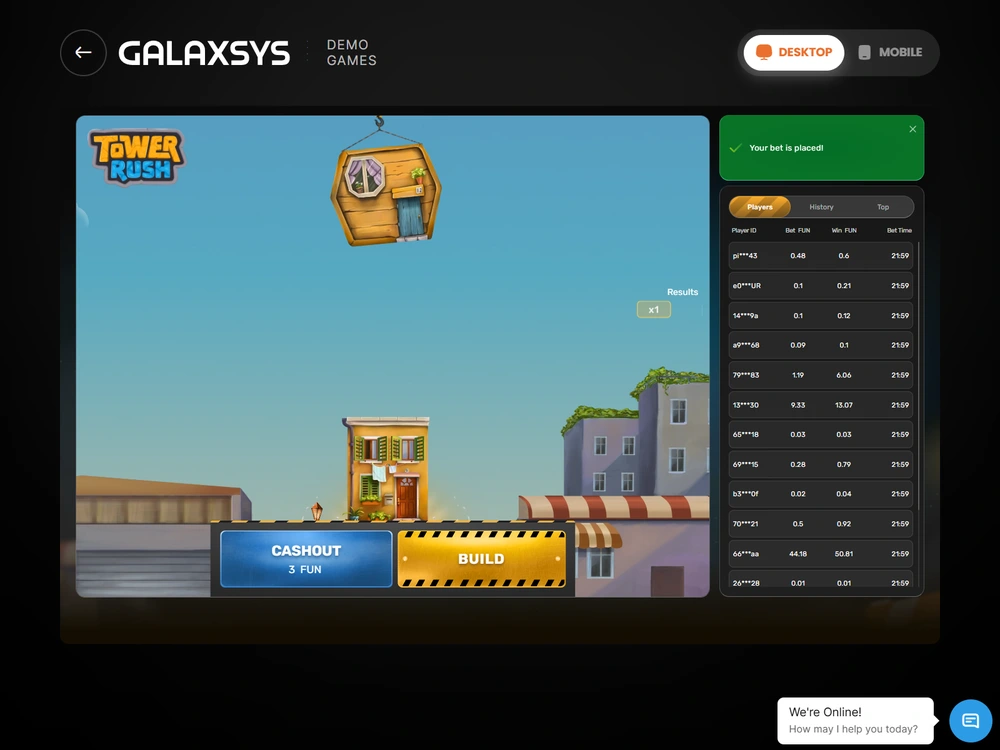
- Open History and find the original round. In the demo, History sits alongside Players and Top; your operator's own history belongs to its money wallet.
- Compare the accepted stake debit, final payout or refund, and resulting balance. A second display of the same event is not a second financial movement.
- If the tower is still active, follow its restored state. If history and balance disagree or the status remains unresolved, send the details to support before starting a new paid cycle.
The English controls are Build, Cashout and Rules. Cashout requires an accepted bet and an available server amount after a successful floor; an invalid stake entry is rejected without a debit. Changing the stake field does not reprice a tower that was already accepted.
After returning from 25 seconds with the game in the background, I waited for the server state and checked the debit and result against the same round ID, confirming that the screen redraw had not created another stake.
What the connection-loss and rejection tests showed
My connection-loss test restored the original round after 18 seconds offline, then completed Cashout at ×1.8 without a second stake debit. The starting balance was 1,000 FUN, the accepted stake was 100 FUN and the payout was 180 FUN, leaving 1,080 FUN.
Receiving the response again left that balance unchanged.
My 1win money session in Bangladesh also allowed a check on a second device: the iPhone showed the same BDT 3,249.00 wallet balance and the final round's BDT 418.00 payout, with no additional credit when I read that entry again.
| Test condition | Balance reconciliation | Meaning |
|---|---|---|
| Connection restored after acceptance, then Cashout | 1,000 − 100 + 180 = 1,080 FUN | One stake and one payout; the repeated response added nothing |
| Cashout sent after server-side collapse | 1,000 − 100 + 0 = 900 FUN | The accepted stake lost; the rejected command caused no extra debit |
| Software malfunction with the bet voided | 1,000 − 100 + 100 = 1,000 FUN | The returned stake restored the starting balance |
| One-hour inactivity completion with 150 FUN registered | 1,000 − 100 + 150 = 1,050 FUN | The registered payout was credited through automatic completion |
These are separate technical scenarios. The successful reconnection does not promise a payout on every interrupted tower, and the voided-bet result does not make every delayed screen refundable. Match your own round's status to the applicable rule before interpreting the balance.
In another test, the server accepted Build 142 ms after submission. The floor animation took 1.8 seconds. These timings measure different events, and the server determines the outcome. A delayed image does not establish that a later Cashout request arrived before collapse.
How the one-hour rule and malfunction refund differ
The one-hour rule ends an accepted round and automatically transfers any registered payout to the balance when connectivity is lost during play and the connection is not restored within that inactivity period.
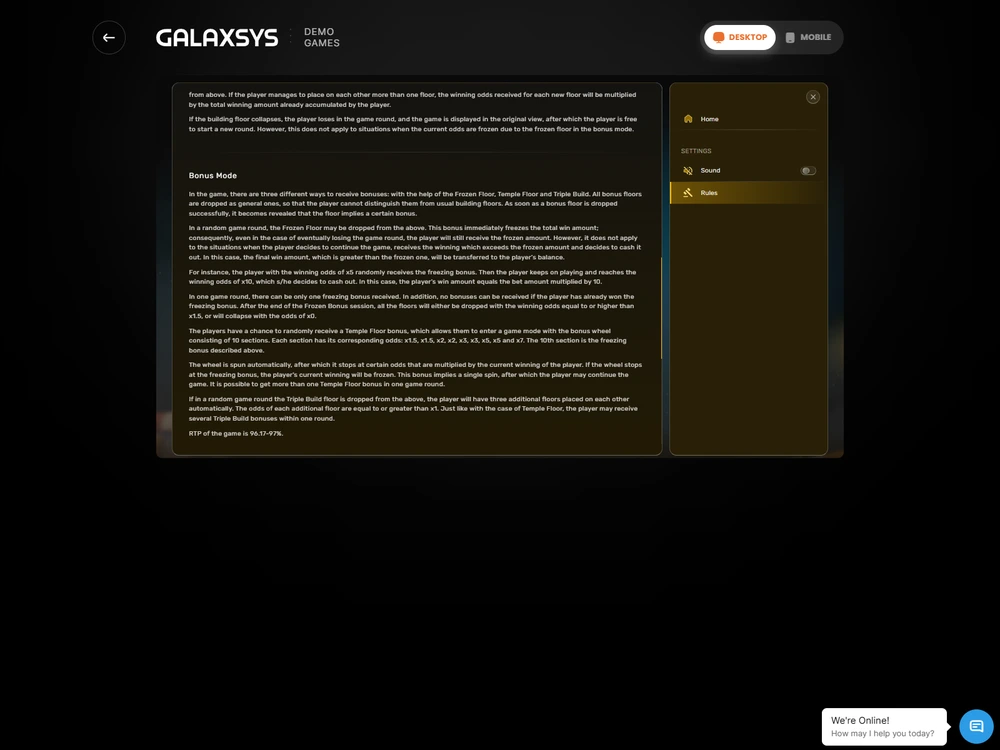
That rule concerns settlement of the existing tower. It does not promise reimbursement of its stake, guarantee a winning amount, or say that an external cashier withdrawal will arrive within an hour; a pending payment has its own operator process.
For a gaming hardware or software malfunction, the rules void the affected bets and payouts and return the corresponding stakes. In my void test, the returned 100 FUN reversed the original debit. There was no gaming profit. Check for that refund entry rather than expecting both a voided payout and the stake back.
Recognise a rule outcome that looks like a display error
A lower payout, a stopped increase or an unavailable button can follow the Tower Rush rules without being a technical failure, so check the accepted stake and final amount before reporting a mismatch.
- The demo payout cap is 10,000 FUN. Reaching it does not automatically close the tower. Further construction cannot raise the capped payout and can still lose the unprotected result.
- Frozen Floor is not an extra duplicate credit. In my test, 500 FUN was frozen and a later confirmed Cashout paid 1,000 FUN in total. The balance did not receive both amounts as separate winnings.
- Triple Build belongs to the existing paid cycle. Its additional floors do not each create another initial stake debit, and a cycle is not fully settled while a required additional floor remains unfinished.
- Bonus and cash balances are separate. An active Free Bet or Free Amount can produce an insufficient-bonus-balance error; check the active source of funds rather than assuming the cash wallet was emptied.
- The demo stake range is 1–100 FUN. An invalid amount is rejected without a debit; check the displayed limits for your particular money configuration instead of carrying the FUN limits into BDT.
In my BDT money tests, the calculation was rounded down to BDT 0.01 after the final product and applicable cap, making the settled amount the relevant figure for a balance check even when the multiplier label displayed less precision.
Treat a regional refusal as an access decision
A regional-unavailability message stops the access route; it is not an unfinished game round. In my 4rabet attempt from Bangladesh on Xiaomi 15 Ultra, Android 15 and Chrome, the route returned “not available in your region” with HTTP 403. I stopped without registering, depositing or placing a bet.
Tower Rush operator reviews
Six completed Bangladesh BDT tests. Scores and payment results reflect the tested accounts.
-

BDT access score7.15/10
- 96.55% configured RTP.
- 891 BDT received via bKash after a 9 BDT deduction.
-

BDT access score7.40/10
- 96.69% configured RTP.
- 1,900 BDT received via Nagad with no deduction after identity and address checks.
-

BDT access score7.15/10
- 96.19% configured RTP.
- 2,084.25 BDT received via Nagad after a 15.75 BDT withdrawal fee.
-

BDT access score7.15/10
- 97.00% configured RTP.
- 1,200 BDT received via bKash in 6 min 27 sec. The deposit had a 30.36 BDT external charge.
-

BDT access score7.40/10
- 96.65% configured RTP.
- 1,500 BDT received via bKash in full. The deposit had no external charge.
-

BDT access score7.40/10
- 96.33% configured RTP.
- 500 BDT received via bKash in full after identity and address checks.
With no accepted stake in that particular 4rabet attempt, there was no missing game payout to reconcile and no basis for extending the same access conclusion to every operator in Bangladesh.
Stop at a regional restriction instead of treating it as a loading fault to work around.
Send the unresolved incident to the right support team
Your account operator handles money-wallet, bonus and game-account disputes, passing game details to Galaxsys when needed; Tower Rush Bangladesh is an information publisher with no control over your operator balance, round settlement or withdrawal approval.
Prepare a short incident record containing:
- The operator, original game name, mode and currency.
- The affected round ID, accepted stake and last action before the interruption.
- The incident time and time zone, plus the visible error wording.
- The debit, payout or refund shown in history and the balance you need reconciled.
- Your device, browser or operator app, and whether the failure followed network loss or a return from the background.
Attach relevant screen captures with session tokens and unnecessary personal details removed. Ask the operator to identify the accepted round's final status and reconcile its balance movements; retain the response with the same incident record so a repeated message is not mistaken for a second correction.
If the obstacle is signing in, use account access and recovery. For escalation and the distinction between an operator dispute and a correction to this website, use the support and complaints guide.
Choose the next action from the confirmed state
Tower Rush troubleshooting ends with a reconciled round or a specific unresolved incident for the operator. Use the existing ID and balance movements to choose that next step: restore the active tower, read its completed result, identify a refund, or report the discrepancy. Repeated clicks cannot replace that check.
Frequently asked questions
Should I press Build again after a timeout?
Check the existing round first. If the server accepted the stake, restore its state and inspect the same round ID. A timeout does not cancel acceptance, and repeating the action is not a substitute for finding out whether the tower remains active or has settled.
Does reconnecting always refund the stake?
No. Reconnection restores the existing round state. A registered payout, an ordinary loss and a malfunction refund are different outcomes. The malfunction rule returns stakes for affected voided bets; a network interruption alone does not establish that condition.
Will the one-hour rule send money to bKash or Nagad?
No. It concerns completion of an accepted game round and credit of any registered payout to the game balance. An external withdrawal is a separate operator-cashier operation, with its own request, checks and transfer status.
Can I use a new demo balance to check a missing cash payout?
No. FUN and the operator's money wallet are separate. A new independent demo session can reset the virtual balance without recording a win. Check the affected money account, currency and original round history for a cash dispute.
Is a regional refusal the same as a connection timeout?
No. The 4rabet refusal in my Bangladesh attempt occurred before any stake was accepted. A timeout after acceptance requires recovery of the existing round. The stage of failure determines which record and support route you need.